 Folio Writer
A thinking surface:
the freeform canvas
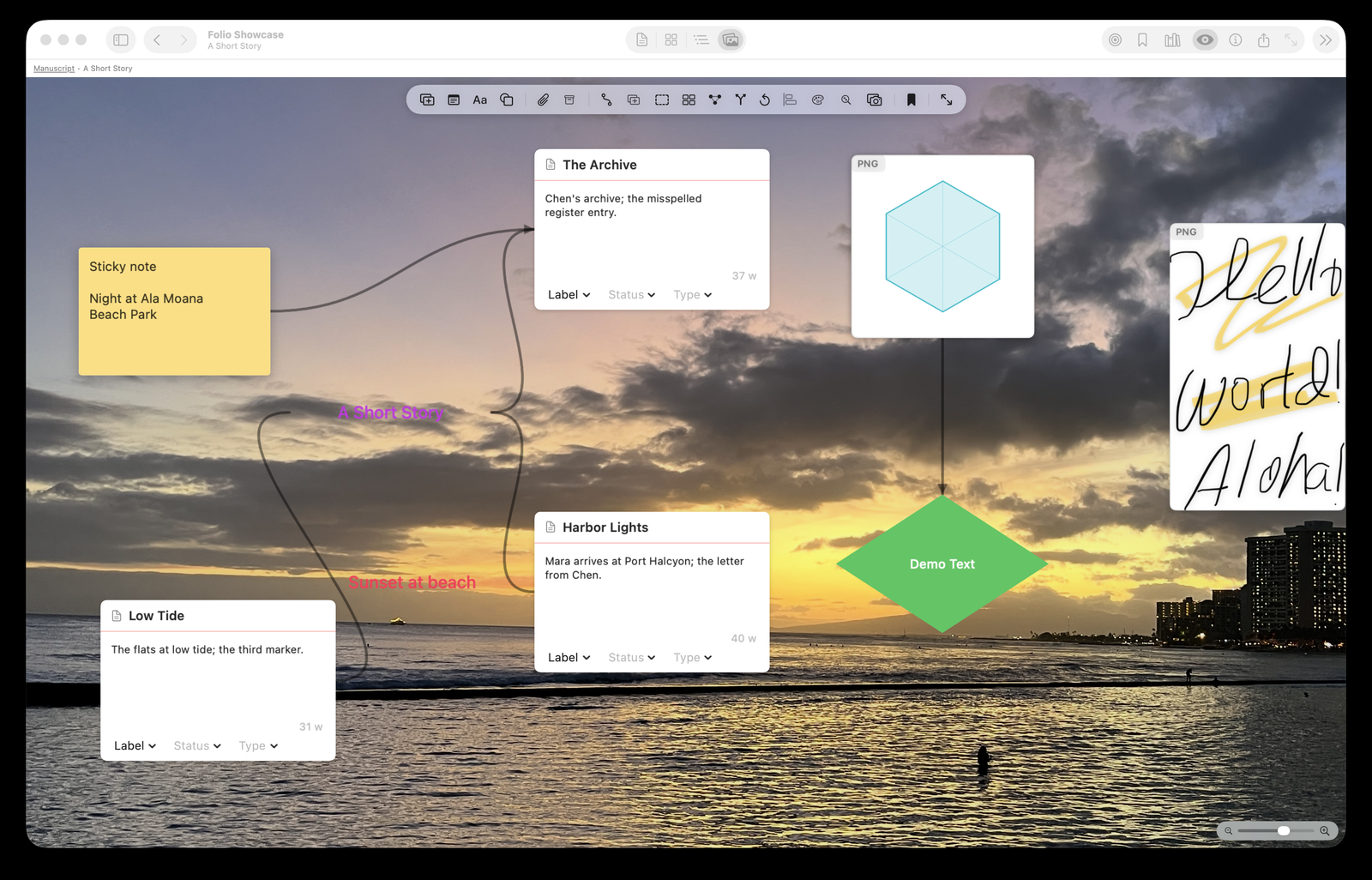
Some thinking doesn't happen in lists. The canvas (⌘4) is an infinite board where sections, notes, and images become movable cards — for the stage of a paper when the shape of the argument is the open question.
What goes on the board
Binder documents appear as cards (title, synopsis, status — click through to the text). Around them: sticky notes for loose thoughts, shapes and text for structure, images dropped straight in, and connection lines to draw what depends on what. The board state saves with the project and syncs like everything else.
Frames and mind maps
Group related cards into frames (move the frame, contents follow) or let the mind-map arrangement lay out a web of ideas around a center. An argument you can see is an argument you can reorder — and the canvas is where reviewers' "restructure section 4" gets worked out before you touch the text.
The Research pin-board trick
Select the Research folder and press ⌘4: your figures, PDFs, and notes become draggable cards on an open board — a pin-board for arranging evidence before it becomes prose. Wikilinks cross-connect notes and manuscript, so you can arrive at the board from the text and jump back.
Where it sits in the tiers
The canvas is a Premium feature (with a 7-day full trial, like everything). The grid corkboard — cards in order, statuses, synopses — stays free; the canvas is for when order isn't the question yet.