 Folio Writer Folio Writer
New in 1.10 — track changes like Word, your Folio Cloud projects in the app, nine new templates →
Folio Writer Folio Writer
New in 1.10 — track changes like Word, your Folio Cloud projects in the app, nine new templates →
Draft anything long — a paper, a book, a novel — the way you actually think about it: a binder of sections you outline, rearrange, and fold into a finished draft. Everything stays as plain text you own — portable Markdown and Typst files, on disk, forever.
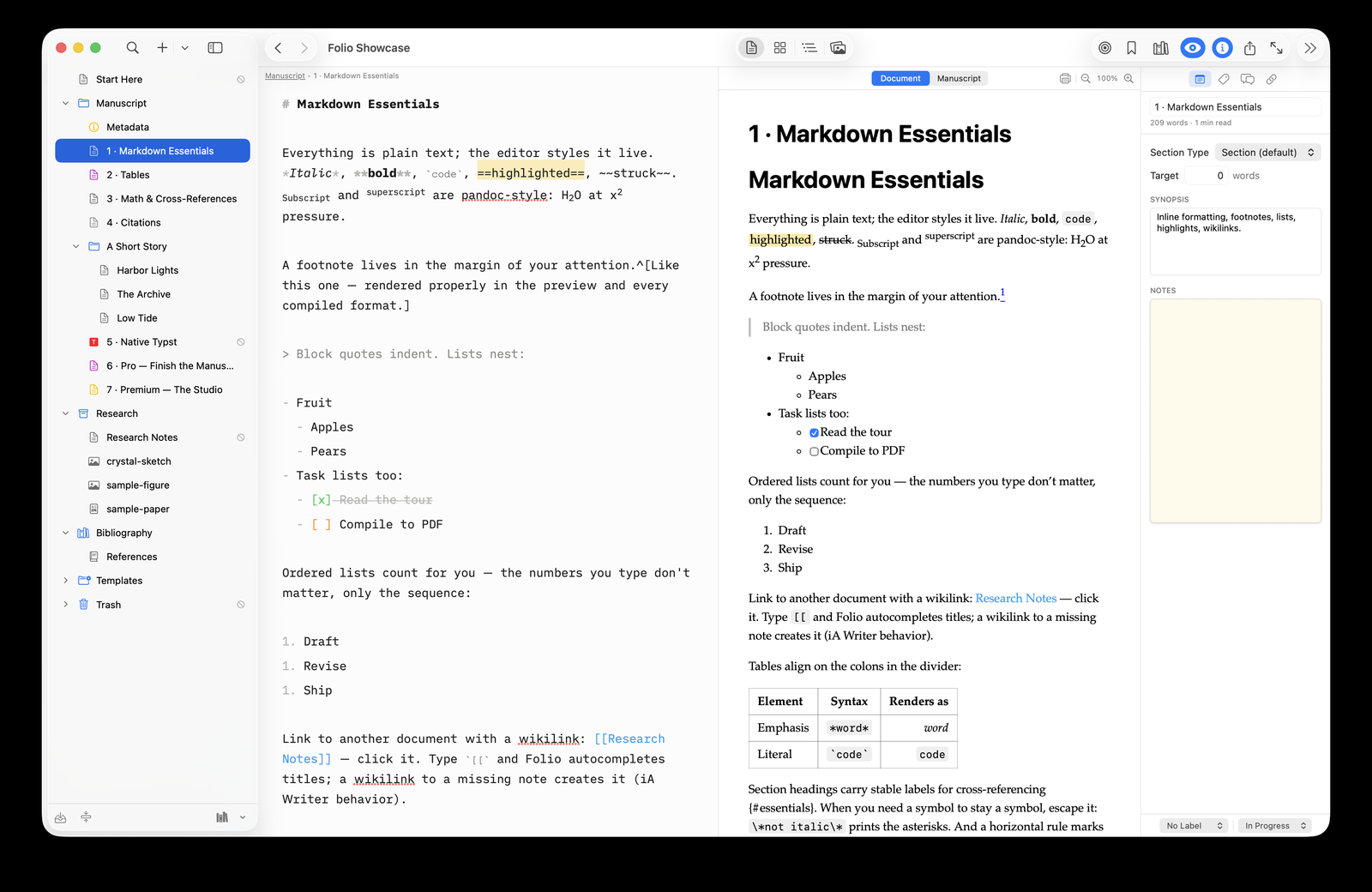
Not a text box. A studio — with the structure, citations, and output a manuscript needs, on top of plain files.
Open and share a .folio project at cloud.foliowriter.app and edit it together in real time — no install, optionally end-to-end encrypted — then download it back, byte-compatible.
Open a .scriv project and rebuild it inside Folio — the full binder hierarchy, each document converted from RTF to Markdown, with synopses, labels, and statuses carried across. Free.
Render the current document or the whole manuscript through the real PDF engine and proof the actual pages before you compile — with a flag when the text has moved on since the last render.
Fenced mermaid code blocks render as flowcharts, sequence diagrams, and more — right in the live preview, fully offline.
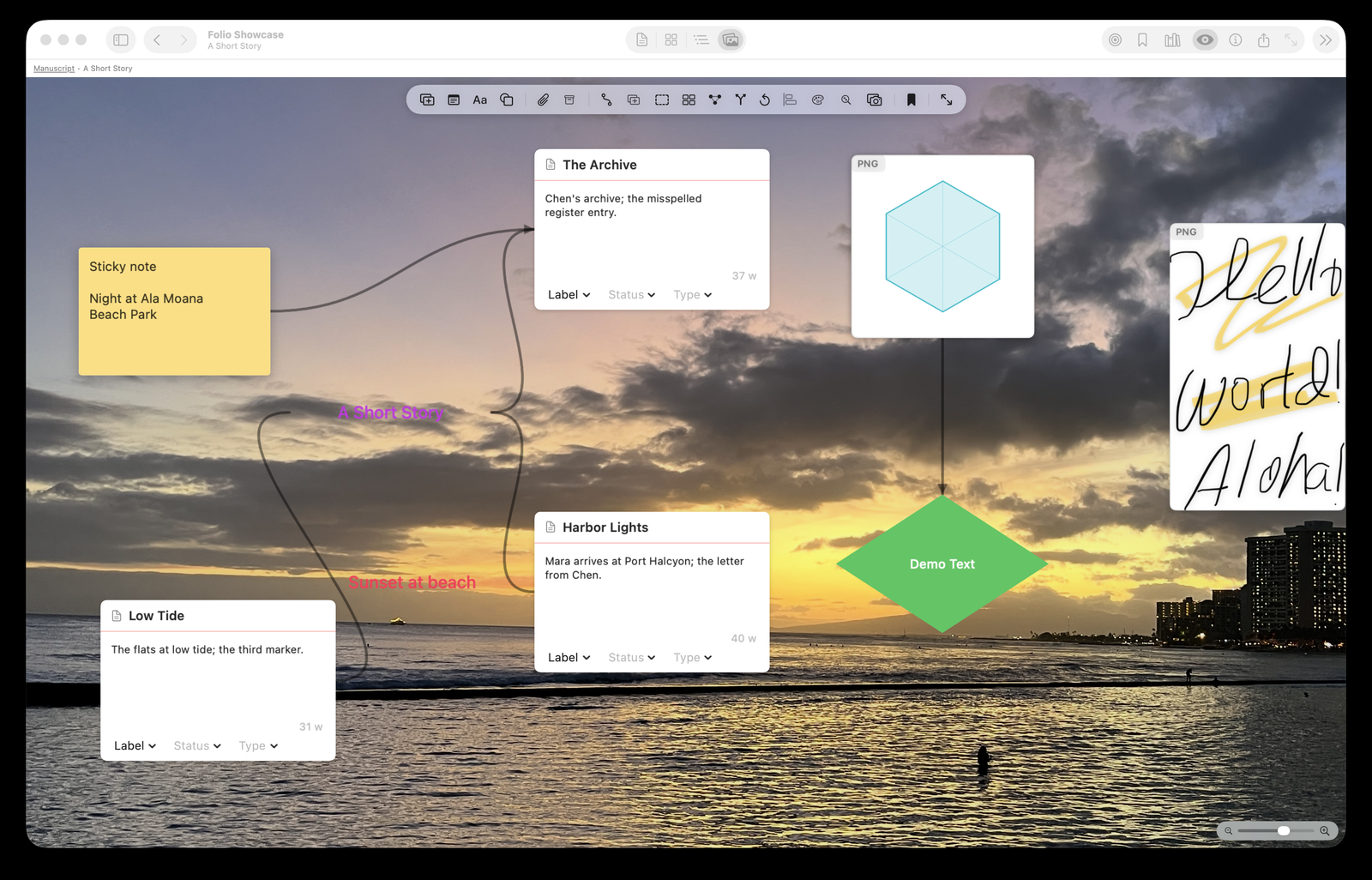
See how documents link — now with directional arrows and nodes colored by their binder folder, so chapters and sections read as clusters at a glance.
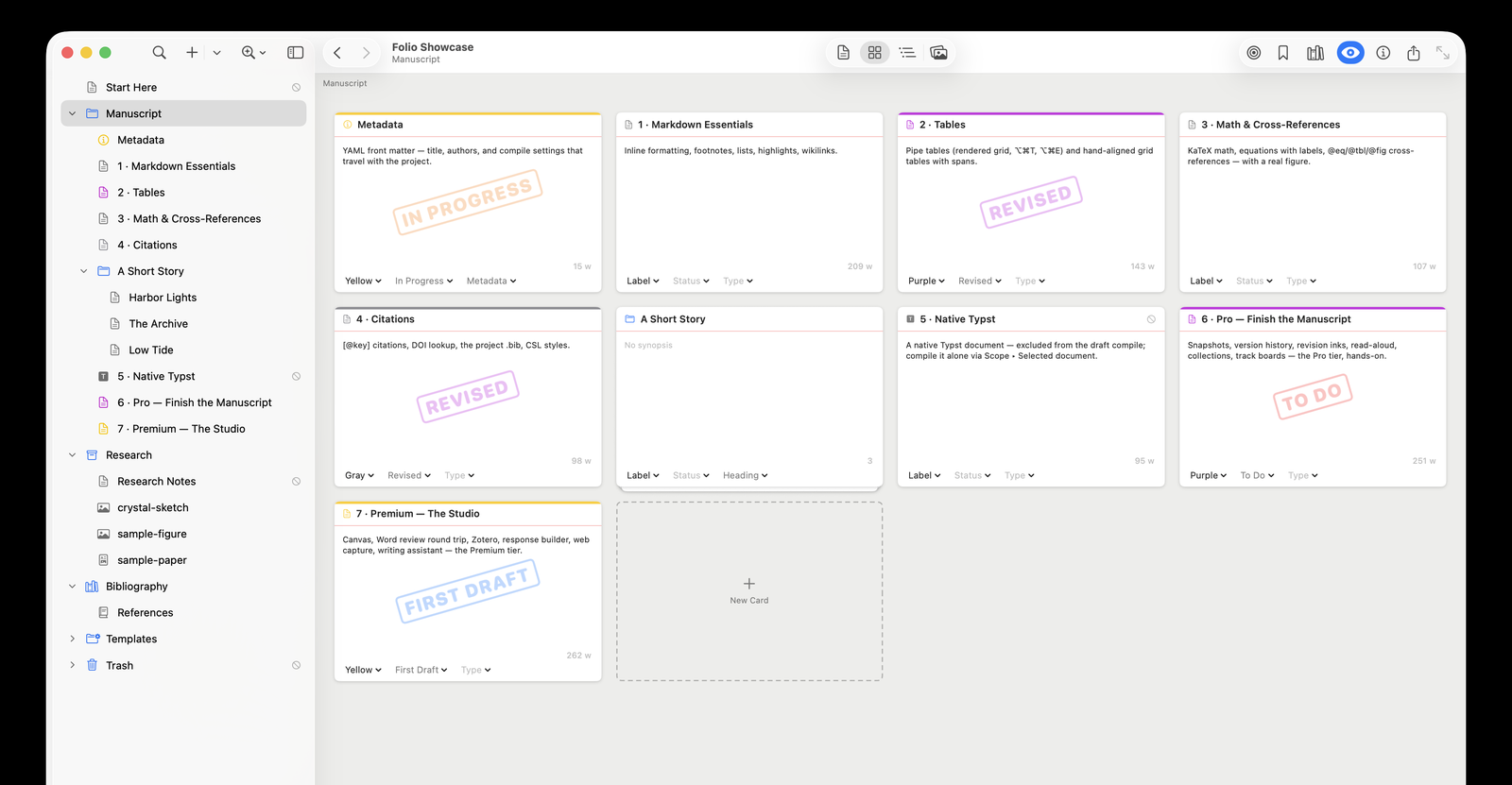
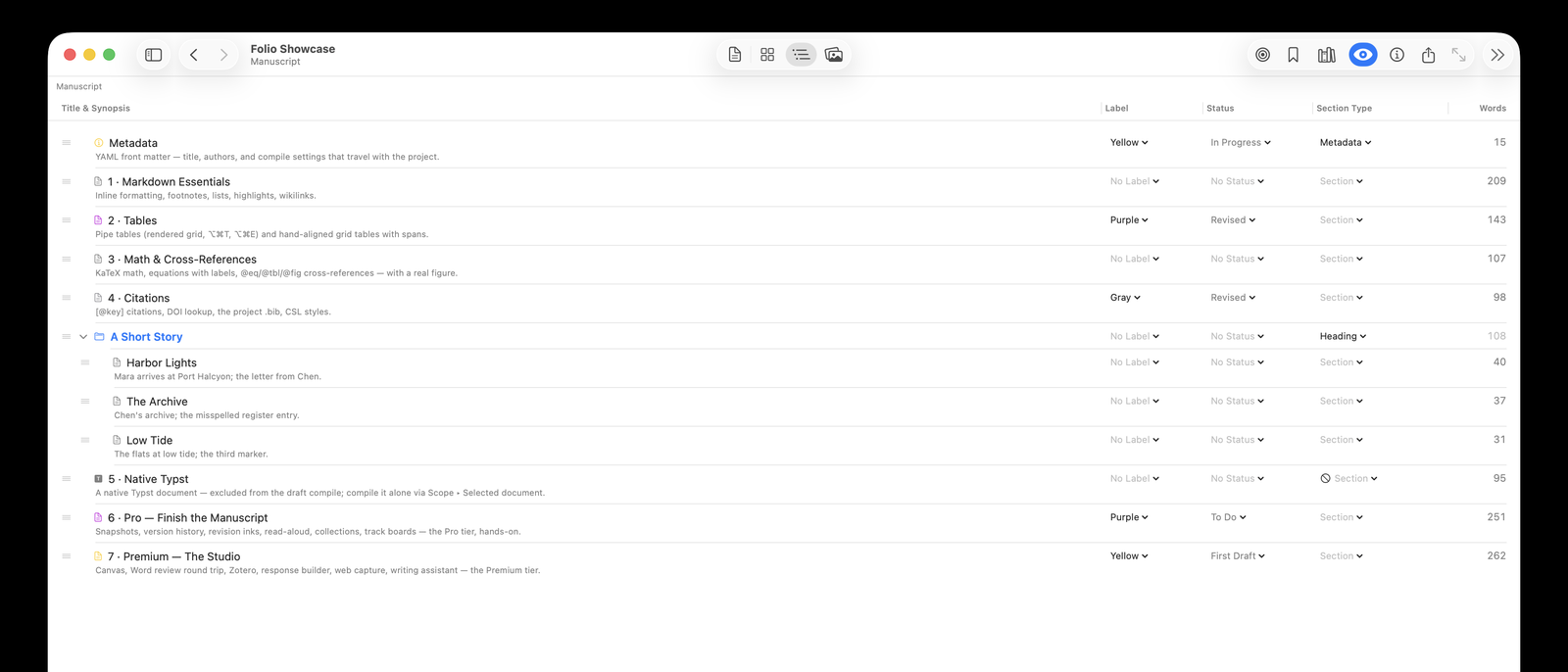
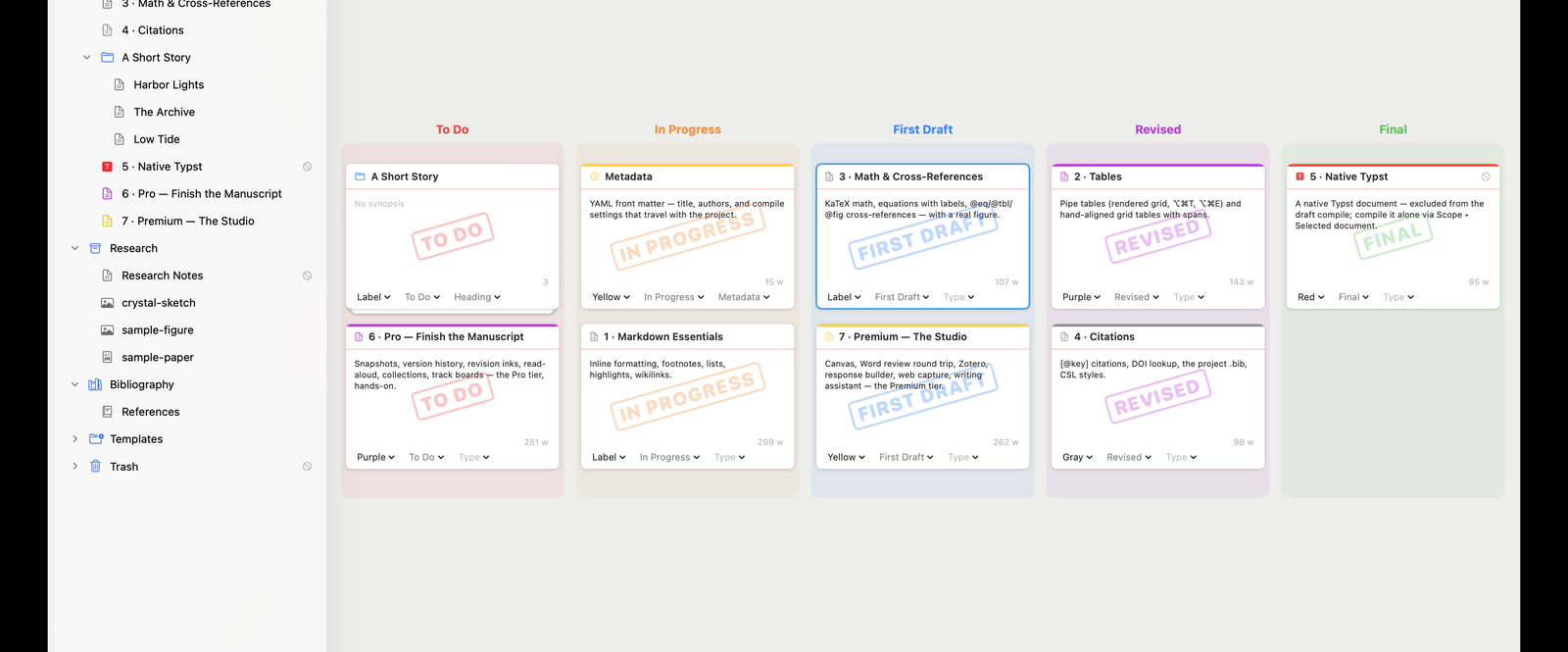
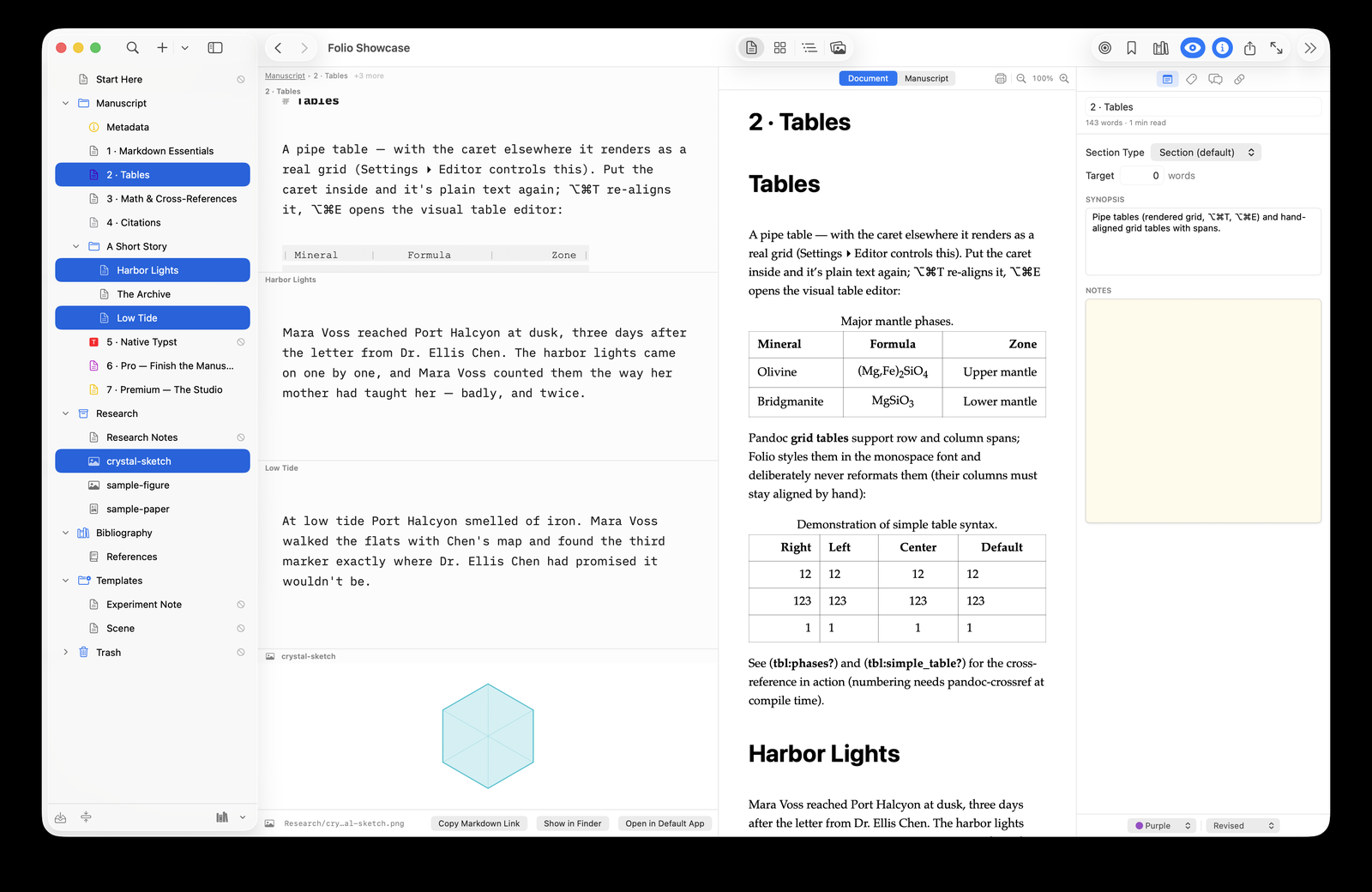
Sections, folders, and subdocuments you outline, drag to reorder, and lay out on a corkboard — Scrivener-style.
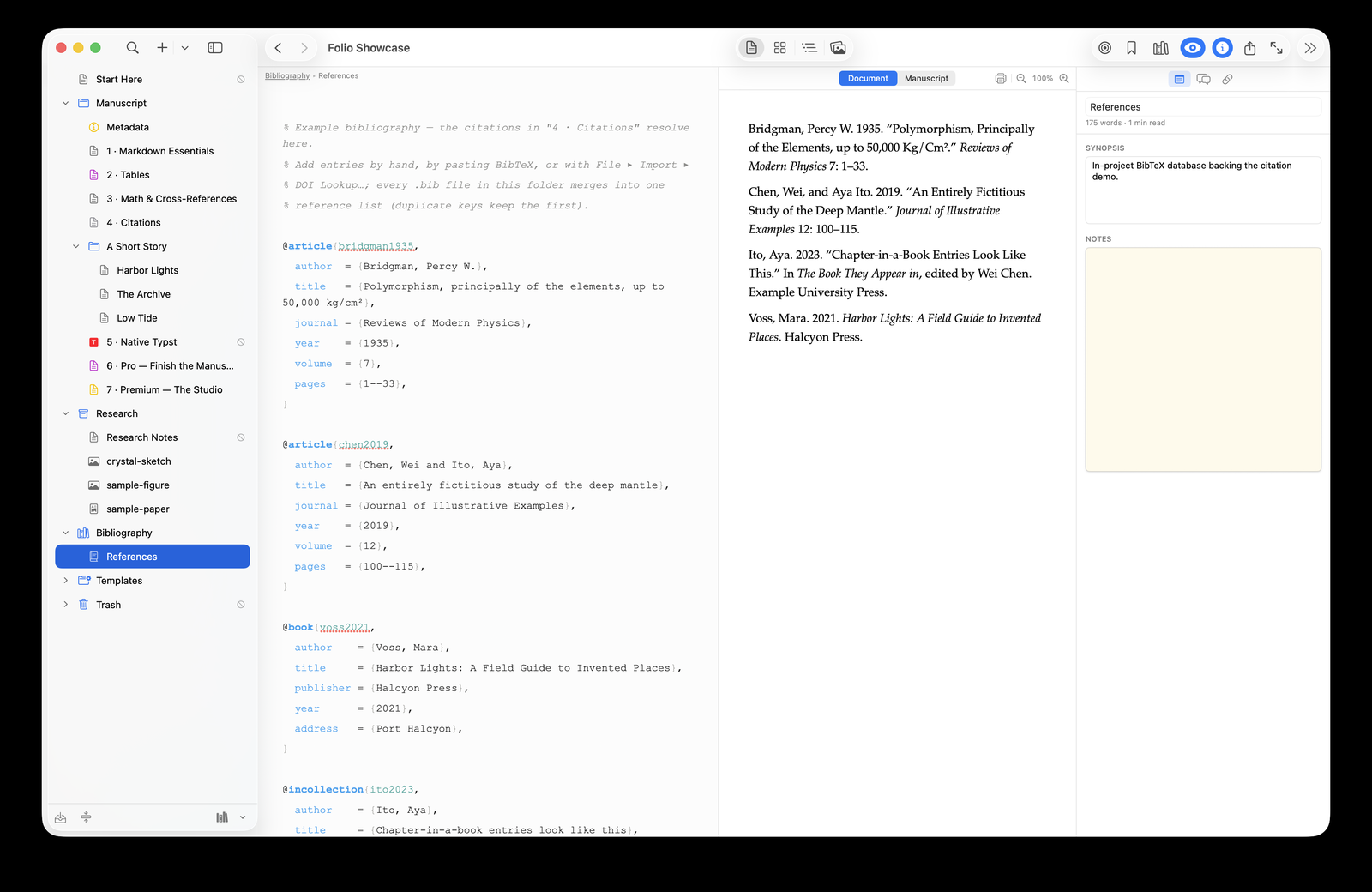
Keep references as .bib files in the project. Insert by author and year; see them rendered inline as you write.
LaTeX math, Markdown, and citations render right in the editor — the syntax steps aside as you read, returns as you edit.
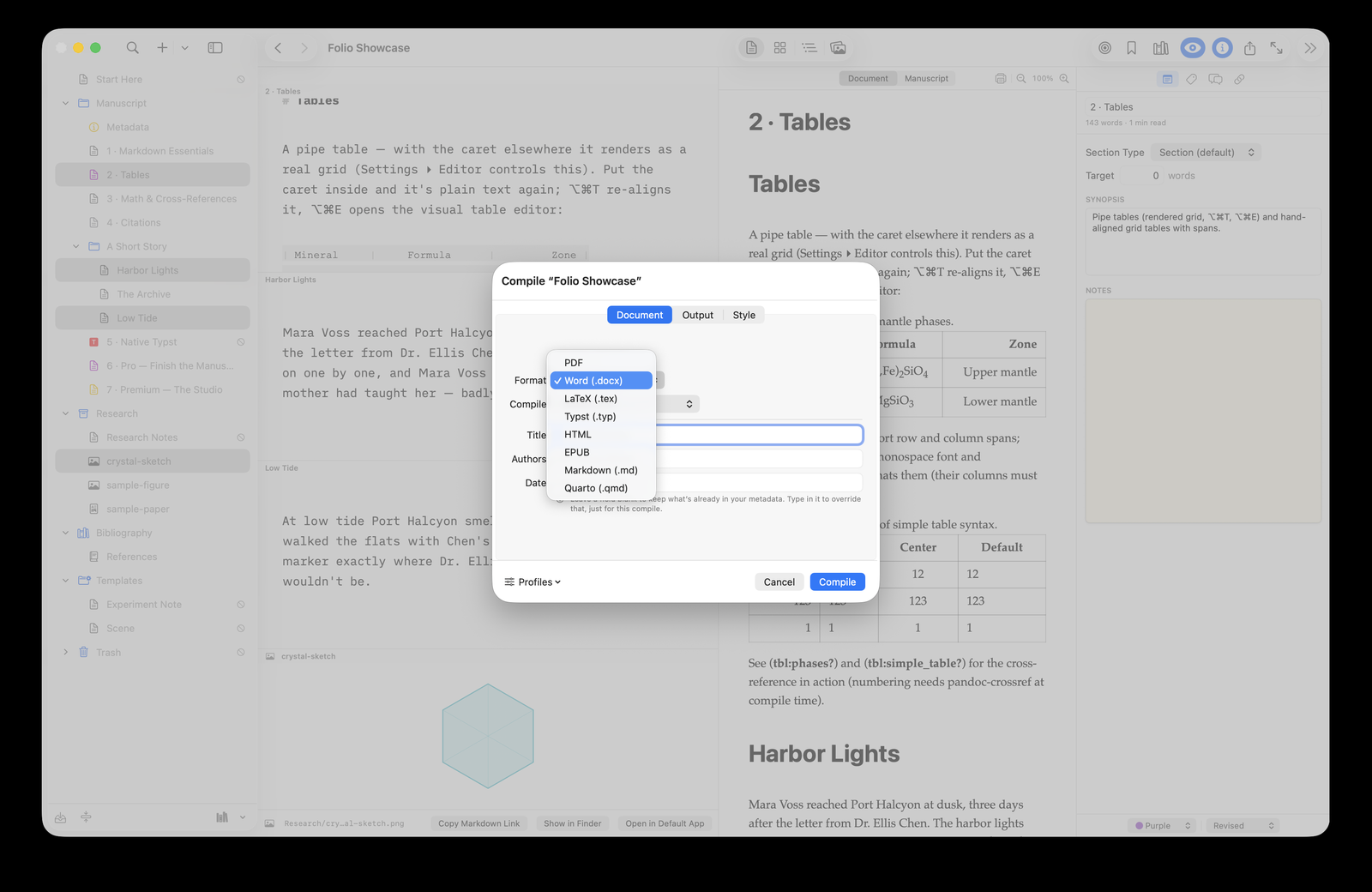
Export to PDF, Word, LaTeX, Typst, HTML, or Markdown through pandoc — title pages, figures, cross-references, bibliography.
Write in Markdown, or keep a document as a native Typst file — mix both in one project and compile them together.
Type #tags inline or add Keywords in the inspector — one index, colored capsules everywhere, a project-wide Tag Index, and tag: search filters.
⌥⌘J opens today’s entry from your template. Entries file themselves by year, month, and day, and a calendar in the binder shows the days you wrote.
⇧⌘P runs any command; ⌃⌘L jumps to any document. Put two documents side by side with ⌥⌘\.
Conflict-safe merging, automatic version history synced to every device, and a live indicator under the binder: Saving… Syncing… Synced.
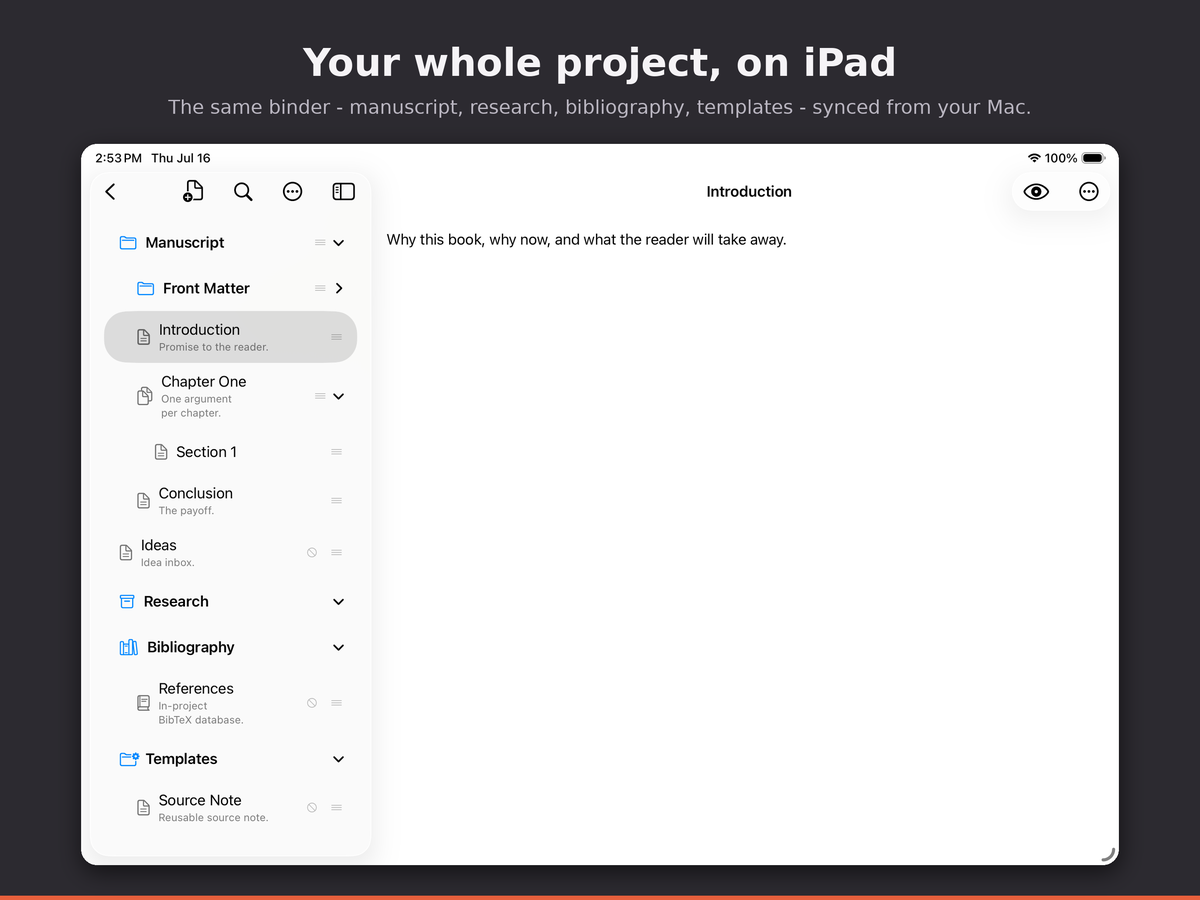
Sync across your Macs and the iPhone and iPad apps through iCloud, Dropbox, or any Files location — conflict-safe.
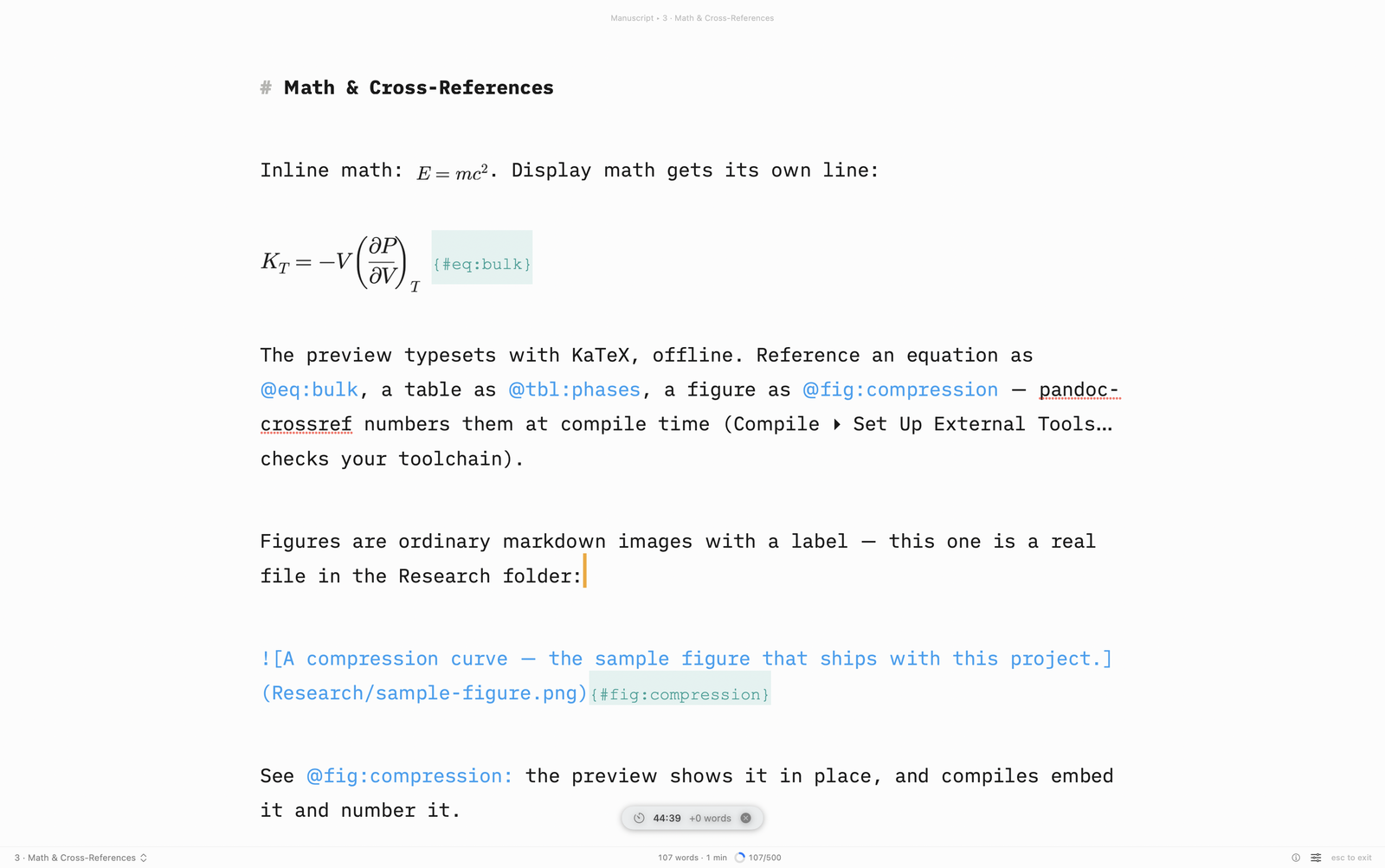
A distraction-free room, typewriter scrolling, sentence focus, and per-document, per-session word targets.
Take a snapshot before a heavy revision; browse, diff, and restore. Nothing you write is ever quietly lost.
Propose a change instead of making one — every suggestion carries its author, shown as a diff to accept or reject.
Send co-authors real tracked changes in .docx; Import Review brings their edits back as proposals — nothing lands without your say-so.
Elsevier, IEEE, AGU, Tufte, and NSF proposal templates — plus a lab notebook, a Quarto data-analysis report, a response to reviewers, lecture notes, and a Typst cover letter. Each opens with a page explaining how it’s meant to be used.
Pull references straight from your Zotero library, anchor comments to any passage — highlighted in the editor — and build a response-to-reviewers letter from them.
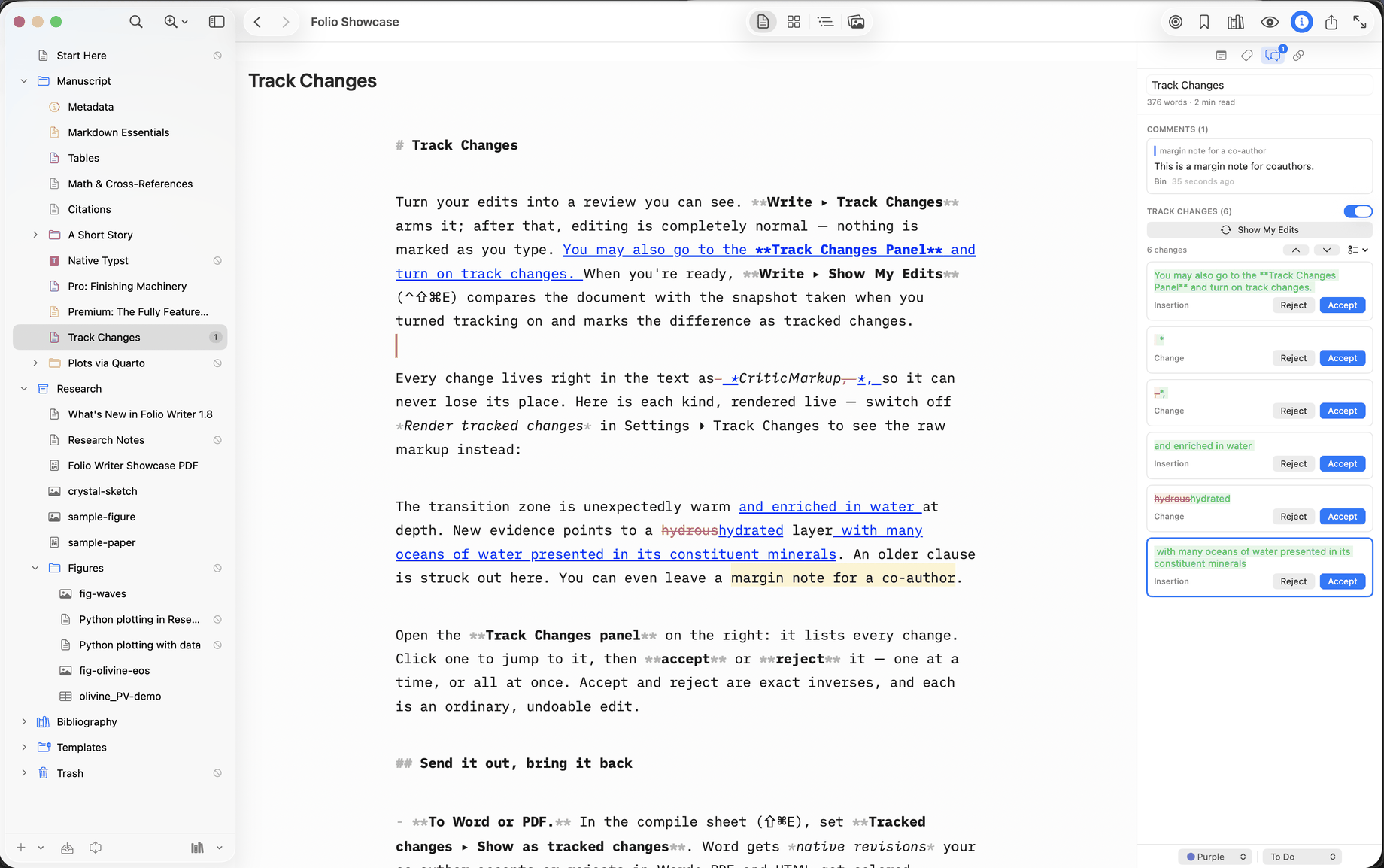
Switch to Suggesting and every edit becomes a reviewable insertion or deletion in your color, like Word — accept or reject each one, keep comments in the text where they sync, and export as native Word revisions or colored PDF markup.
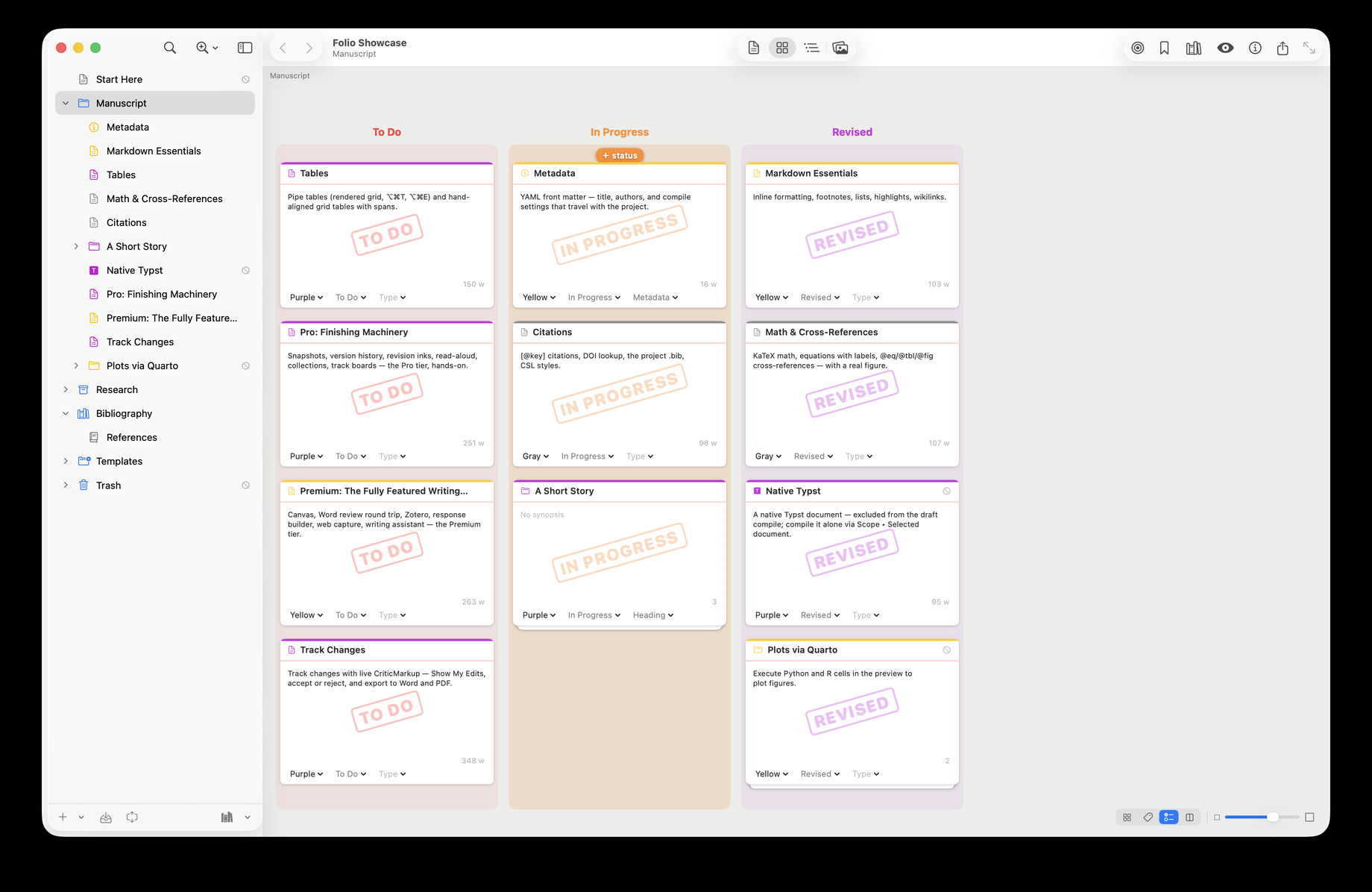
Arrange the corkboard by label or status and drag a card between columns to reassign it — the lane highlights as you drag, kanban-style.
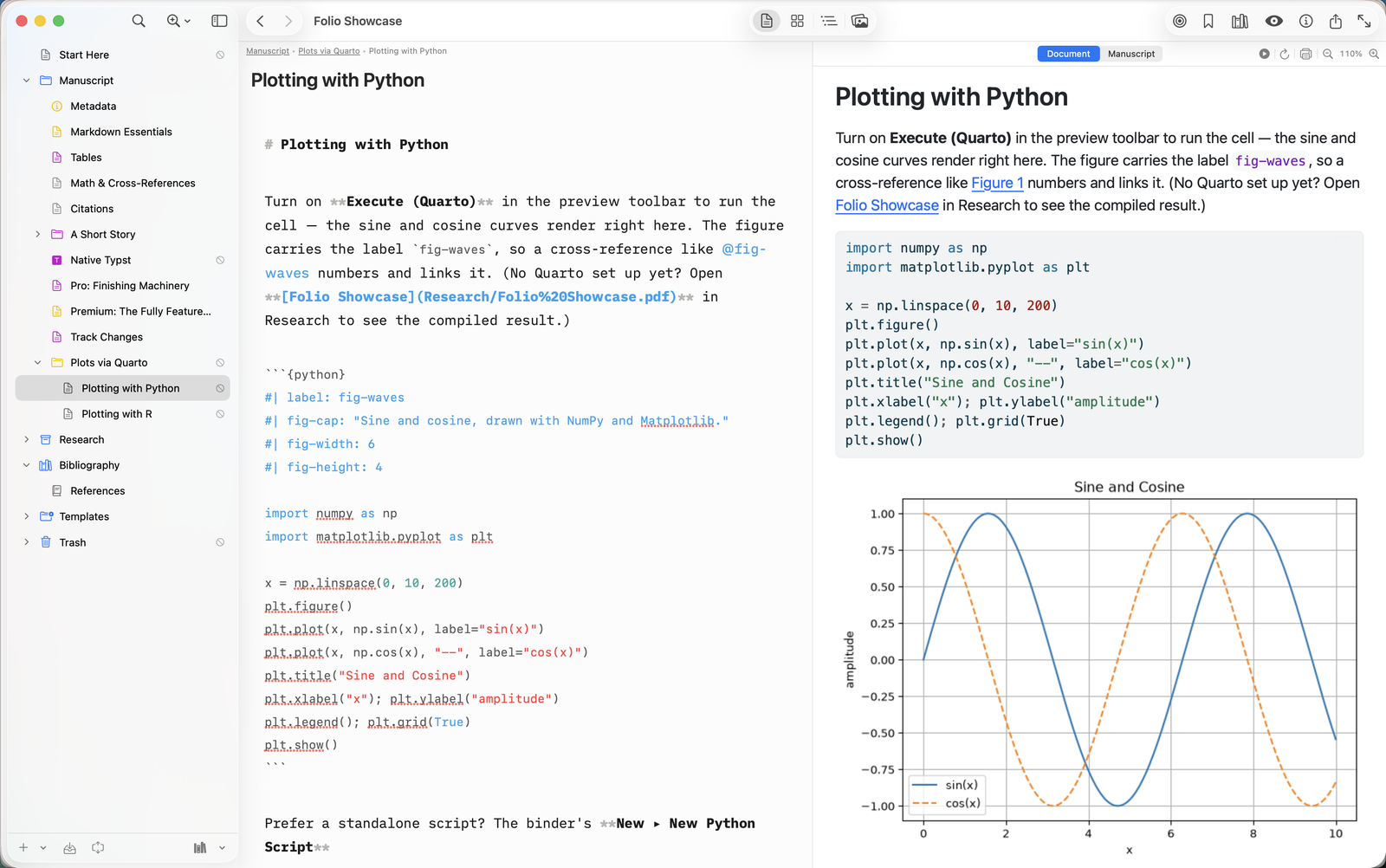
Execute Python or R cells right in the preview — matplotlib and ggplot figures render in place, via Quarto through the free Folio Helper.
Keep Python and R scripts in Research: edit with full highlighting, Run, and every figure lands in a Figures folder named after its label.
Write @fig:x or @fig-x — Folio Writer converts to pandoc-crossref or Quarto to match the renderer you compile with, your code left untouched.
Open a .folio in any browser and write together in real time — no
install, nothing to configure. Share by link with edit or view access, protect
links with a password, and download your project back, byte-compatible with the
Mac and iPhone apps.
End-to-end encrypted projects go further: documents, binder, and research files are sealed in your browser with AES-256-GCM before upload, the key travels only inside your link, and the server stores ciphertext it cannot read. Typeset preview, PDF export, and search all run locally in the tab.
.folio your Mac and iPad openOne project, seen every way you work — and what each view unlocks: Free, Pro, and Premium.
No account needed, no add-ons. Pro and Premium are one-time in-app purchases on the App Store — free to try for 7 days. Pay once, unlock both platforms: Folio Pro bought on the Mac unlocks Pro on iPhone and iPad, and Pro bought on iPhone or iPad unlocks it on the Mac — the same purchase, one price, tied to your Apple ID. Start with Pro and move up whenever — Premium then costs just the difference ($19.99), credited automatically in the app. Prefer to subscribe? A Folio Cloud plan unlocks the same tier on the Mac and includes the web studio.
Everything you need to write and organize a manuscript.
Finish and ship your manuscript. Buy it once — on the Mac or on iPhone/iPad — and it stays unlocked on every Mac, iPhone, and iPad you own, for every future version.
The full studio — everything in Pro, plus the boards and everything that talks to other people and other tools. Pro owners upgrade for the difference ($19.99).
Writing, the binder, search, sync, and version history are free on iPhone and iPad, no trial and no account. The advanced features — the whole-manuscript preview, Suggesting with Accept/Reject and the review bar, Snapshots, Insert Template, and Compile — are Folio Pro, the same one-time purchase as on the Mac. Buy it on either platform and it unlocks on the other; nothing is ever bought twice. A project is the same folder of plain Markdown files at both ends, in iCloud Drive or any Files location.
Write in any browser, share by link, co-edit live — end-to-end encryption on every plan, including Free. Plans differ in room: how many projects you keep on the server, and how much they may hold. A Pro or Premium subscription also unlocks that tier in Folio Writer for Mac (Mac App Store edition) and on iPhone and iPad, so you can subscribe instead of buying once — one plan, every platform. Subscribe in the apps through the App Store today; web checkout opens soon. Annual billing is ten months for the year.
Every plan — Free included — has live co-editing, passworded links, byte-compatible downloads, and in-browser typeset preview & PDF for encrypted projects. Subscribe in Folio Writer for Mac or the iPhone app, sign in to your Folio Cloud account there, and the web plan follows — one subscription, everywhere. Start free today → Prefer your own server? Self-host with Docker soon
The Mac app, its free tool helper, and the iPhone and iPad apps — a project is the same folder of plain files everywhere, and one Pro purchase unlocks all of them.

Development notes, tips, and release news — @foliowriterapp on X.
Recent posts from @foliowriterappFeed not loading? Open @foliowriterapp on X →
Folio Writer collects nothing and tracks nobody. The apps need no account and run no analytics; your manuscripts live in plain files on your own disk and your own iCloud. Folio Cloud is optional, and its end-to-end encrypted projects are ciphertext the server cannot read. Read the privacy policy →