 Folio Writer
The room where writing happens:
focus, targets & sprints
Structure and citations get a manuscript organized; somebody still has to write the words. Folio Writer's writing room borrows the best of the distraction-free editors — and adds the accounting that keeps a long project moving.
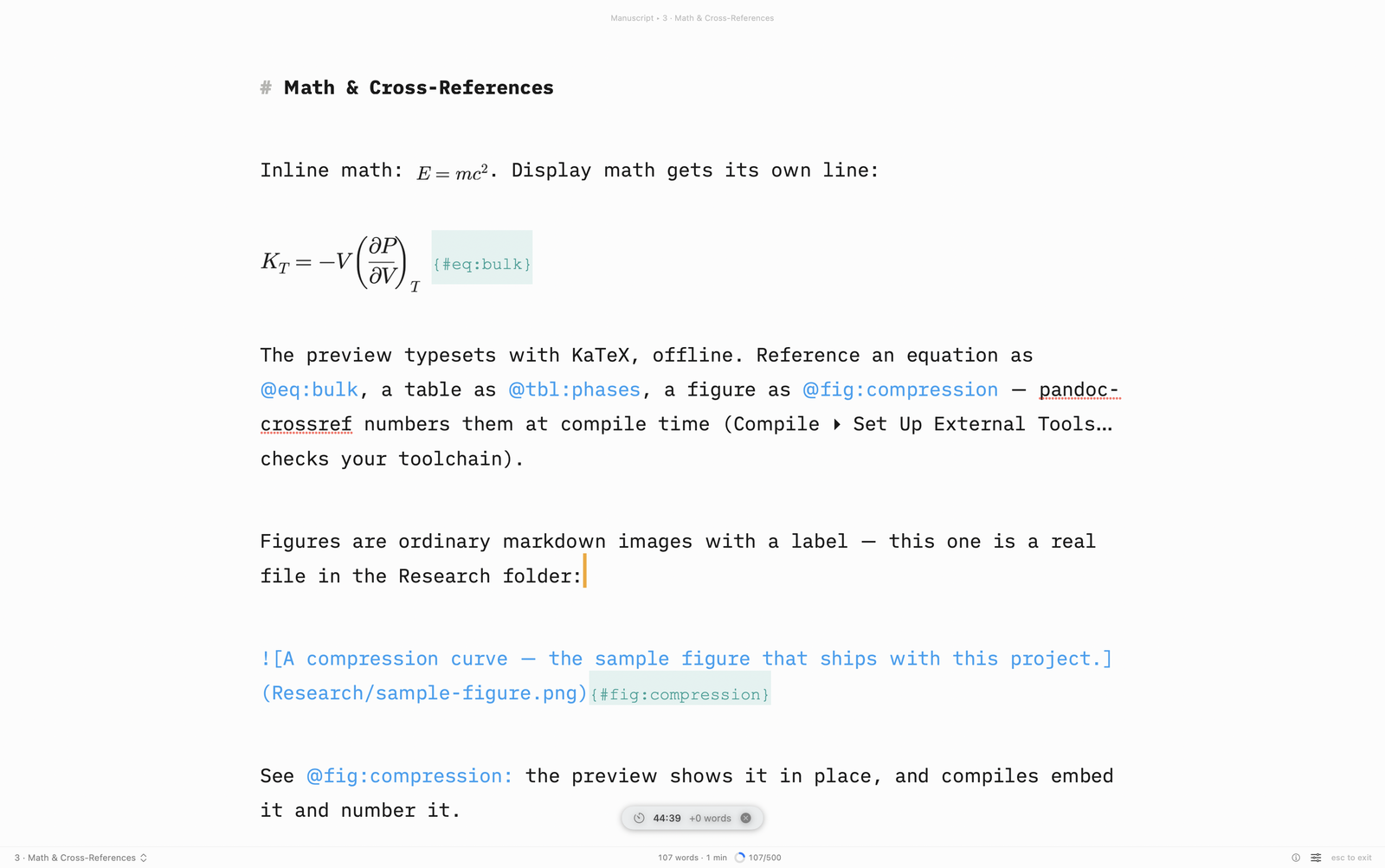
Composition mode
One document, centered on a quiet screen — binder, inspector, and toolbar gone (Esc returns). Pair it with typewriter scrolling (⌃⌘T), which keeps the line you're typing vertically centered, and focus mode, which dims everything but the sentence or paragraph under your caret.
Targets that know the difference
Three kinds of counting, because "how long is this?" is three questions: a per-document target (the ring on the card fills as the section grows), the whole-draft count, and a session goal — today's writing, regardless of where it landed. Set a section target and the corkboard shows at a glance which sections are thin.
Sprints and the fourteen-day ledger
A sprint is a timer with a word goal — twenty-five minutes, five hundred words, go. The writing history keeps a fourteen-day record with today, streak, and best day; it travels with the project, so the iPhone words count too. Nothing is uploaded anywhere — the ledger is yours, in the project.
Everything is per-window now
Two projects open side by side keep separate panes, views, and focus states — the writing room in one window doesn't dim the research in the other.